For most of my career, writing was how I thought. Not a way to communicate ideas I'd already formed — the actual mechanism for forming them. Sitting down to write forced clarity. It revealed the gaps in an argument, surfaced the assumptions I hadn't examined, and turned vague instincts into something I could actually defend. Writing is thinking. I built a lot on that foundation, and I still believe it.
But something has shifted. And the more I sit with it, the more I realize it's simply a latency problem.
The ideas that matter most in a content program aren't the ones you schedule time to develop. They're the ones that surface in motion — on a call, between meetings, in the ten minutes after a conversation where something clicked. By the time you've cleared space to write, the latency has already done its damage. The moment has cooled. What you produce is a reconstruction: technically accurate, but missing the charge the original idea carried.
I've tried the usual fixes. Notes apps, calendar blocks, drafting on my phone. None of it addressed the real issue, which is that writing — even when you know exactly what you want to say — puts translation cost between the idea and the output. Attention, word selection, structure. You're spending cognitive load on the container instead of the content, and the gap between when you had the thought and when you finally sit down to write it widens that cost further.
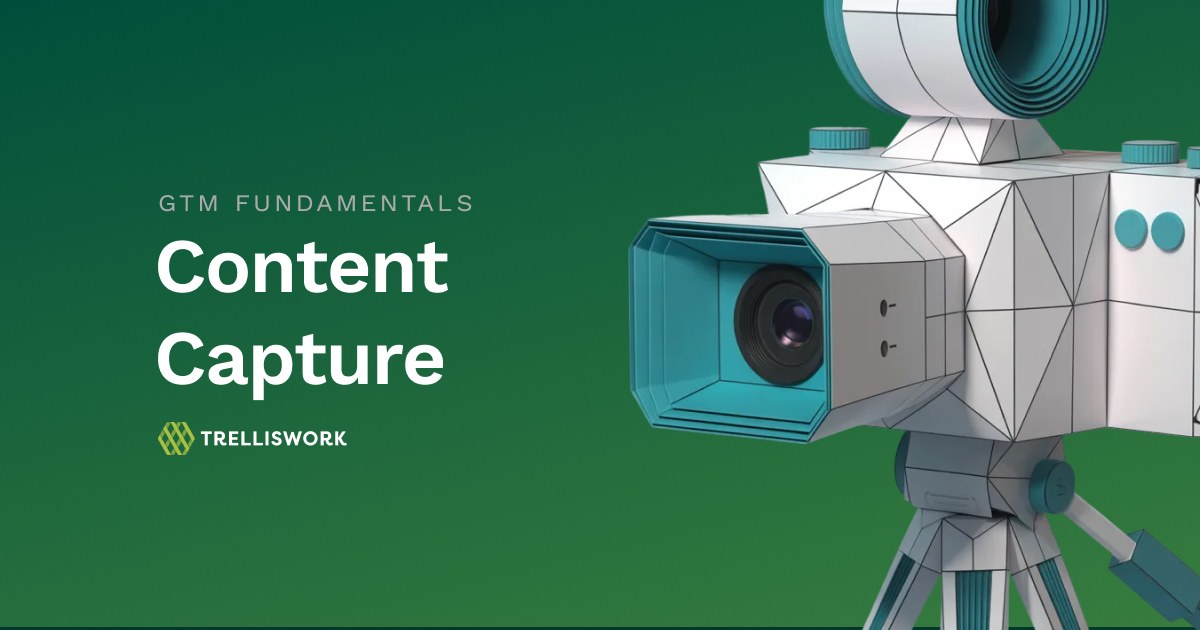
That's what pushed me toward video capture. Not as a content format, but as a mechanism for closing that gap. Talk through the idea the moment it exists, in your own voice, before it flattens into something more considered and less alive.
What I found on the other side of that shift — for us and for the clients we've built this with — is a simple reframe:
The content problem isn't really a writing problem. It's a capture problem.
Start with the capture, not the content
Most teams approach content creation backwards. They decide what they want to publish, then go looking for someone to produce it. That model works fine when you have dedicated content staff. For everyone else, it creates a dependency loop: the subject matter expert is already overcommitted, the content request sits in a queue, and the moment passes.
Flip it. Make capture the habit, not publishing.
When an idea surfaces — a customer question, a pattern you're seeing in deals, a reaction to something happening in the market — spend two minutes on camera. Don't script it. Don't overthink the framing. Just talk through the core point like you're explaining it to a colleague. That's it. The recording goes to a content workflow, and the downstream pieces get produced from there.
This works because the barrier to hitting record is close to zero. Writing a LinkedIn post from scratch takes 20 to 45 minutes if you want it to be good. Talking through an idea takes two minutes, and the quality of insight is actually higher because you're not spending all your cognitive load on word selection.
The goal is to get that barrier as close to zero as possible. Riverside's mobile app gets you most of the way there — pull it out in the parking lot after a call ends, record while the conversation is still fresh, and put your phone back in your pocket. No desk required, no setup, no scheduling. The idea stays alive because you captured it at the moment it existed, not an hour later when you finally had time to sit down.
The workflow: capture to content
Once you have a recording, the rest follows a predictable path.
Your capture tool generates a transcript automatically. Don't clean it up too much — you want the natural language and rhythm intact. That transcript is your source material. Everything else gets built from it.
From there, pull the core argument. What's the one thing this capture is really about? That single point becomes your anchor for every downstream piece.
Then remix. A single capture maps to multiple content types:
- A LinkedIn post (the punchy, direct version of the core point)
- A website article or blog post (expanded context, practical guidance, SEO-ready)
- A newsletter section (shorter, more personal, written for subscribers who already know you)
- A short video clip (if the capture quality supports it, used natively on LinkedIn or in outreach)
- A graphic or visual asset (quote card, stat, or framework visual)
You won't produce all five from every capture. But you'll consistently get two or three, and the effort stays roughly the same regardless of output count because the hard part — the idea — already exists.
The tool stack
You don't need much. The goal is fewer tools in the chain, not more.

Riverside is the best option we've found for this workflow. It handles async recording with no scheduling required, generates a clean transcript automatically, and includes basic editing tools for shareable clips. It replaced a whole cluster for us: Zoom for recording, Otter for transcription, Descript for editing, a separate clip tool, and a scheduler. One platform. The mobile app extends all of it to wherever you are, so capture happens when the idea surfaces, not when your calendar allows it.
For teams that want to go further, we set up dedicated recording studios for our clients — a physical space in the office with a camera, a clean background, good lighting, and Riverside already open. No configuration, no fumbling with settings. You walk in, hit record, walk out. The setup effort happens once. After that, the only thing standing between an idea and a captured asset is the decision to walk into the room. That's what point-and-capture looks like in practice: a system where the bottleneck is the idea itself, not the infrastructure around it.
On the content production side, the transcript feeds into whatever writing workflow you already use. A content team works from it directly. AI-assisted tools take it as input. Either way, the raw material is specific and real, which produces better output than prompting from scratch. Connect your standard publishing tools on the back end — CMS, LinkedIn, email platform — build a simple queue, and the pipeline runs.
Why we like Riverside
We're not affiliated with Riverside. We just use it, and it's earned its place.
The capture piece gets all the attention, but what keeps us on it is everything else that comes with the recording. Audio leveling handles the difference between someone who's three feet from their mic and someone who's on a laptop speaker across a noisy office. Filler word removal cleans up the ums and ahs before the transcript hits your workflow, which matters more than you'd think when you're using that transcript as raw content material. Auto captioning means your clips are ready to post natively — no extra step, no third-party tool. Brand kits let you apply consistent visual styling across clips without touching a design tool every time.
For a two-minute capture, that's a lot of production value baked in before a content person ever touches the file.
Is it perfect? No. The organization layer is honestly a bit of a mess right now — finding older recordings, managing projects across multiple contributors, keeping things tidy at scale — it's not where it needs to be. They know it, and from what we're told, it's being worked on. In the meantime, the dedicated Studios feature (available on the Business tier) does a lot of the heavy lifting. It gives you a structured home base for captures, keeps contributors working in a defined space, and reduces the "where did that recording go" problem that tends to crop up as usage grows.
The production quality you get out of a two-minute phone capture is genuinely good. Good enough that we've used raw clips directly in client content without any additional editing. That's the bar we needed to clear, and Riverside clears it.
Better results with less busywork
More content, produced faster — that part is obvious. The structural fix underneath it is less talked about.
Most content programs die from coordination overhead. You need a meeting to brief the subject matter expert. You need a follow-up to get their review. You need another round to reconcile their edits with the brand voice. By the time the piece publishes, the moment it was relevant has passed.
Video capture kills most of that coordination. The subject matter expert contributes raw material in two minutes with no dependencies. The content workflow runs downstream from there. You're not chasing people for drafts — you're processing what they already gave you.
The other thing it fixes is access. When capture friction is low enough, the people who actually know the customer start contributing consistently. That's where the best content comes from — not content teams writing in a vacuum, but the people having the real conversations.
Getting started
You don't need to build the full system before you start seeing value. Start with three things.
Pick your capture tool and set it up for async recording. Establish a simple habit — record when an idea hits, not when you have time to produce content from it. And designate someone to run the downstream workflow, whether that's a content team member, an agency, or an AI-assisted process.
Run it for 30 days. Measure how many captures you produce versus how many content pieces ship. Adjust from there.
The teams that get this right aren't the ones with the biggest content budgets. They're the ones who found a way to make showing up consistently easier than not showing up. Video capture is how you get there.
Trelliswork helps B2B teams build content systems that scale without scaling headcount. If your content program is stuck on consistency, let's talk.


.jpg)